

Most AI tools produce Markdown (MD) as the primary output format. LeadCMS is designed for that reality. It stores content in MD and MDX, understands your templates and components, and can guide the model to generate content your site can render without breaking.
If you have used AI to draft content, you have seen the pattern: the output is usually Markdown. That is a good thing - Markdown is readable, portable, and easy to version.
LeadCMS builds on this modern workflow by using MD and MDX as primary content formats, then adding structure and guardrails so AI can generate content that matches your site.
MD vs MDX (and why it matters for AI)
Markdown (MD)
Markdown is plain text with lightweight formatting. It works well for:
- Blog articles
- Documentation
- Simple landing page copy blocks
MDX
MDX is Markdown + JSX-like components. It lets you keep the simplicity of Markdown while embedding structured blocks as components.
Let's say in this blog template, these components are available and supported:
Callout
Steps
FAQSection
Sample MDX code:
<Callout type="tip" title="Component title">
  This is a custom callout component.
</Callout>
Rendered output (how it appears on the page):
This is a custom callout component.
MDX works out of the box with modern frameworks
Most teams building marketing sites and content platforms use modern static site generators and frameworks like:
- Next.js
- Astro
- Gatsby
These ecosystems have strong MDX support, so the content format LeadCMS stores maps naturally to your front-end.
The result is simple: your CMS content, your AI drafts, and your rendering pipeline speak the same language.
Templates, components, and why marketing teams need structure
When you build a real website, you do not ship one generic page type. You usually introduce templates, for example:
- Landing page template
- Blog article template
And depending on the domain, many more (case studies, docs, pricing pages, comparison pages, etc.).
Each template has different requirements, but most of the content body can still be represented as MD or MDX.
MDX adds the missing piece: instead of asking writers to manually reproduce complex layout logic, you expose approved components that your site supports.
The key difference: LeadCMS understands your MDX
Many CMS tools treat content as plain text. They store it, but they do not understand it.
LeadCMS is different. It parses and understands:
- Your page templates
- Your custom MDX components
- The structure of the content your site supports
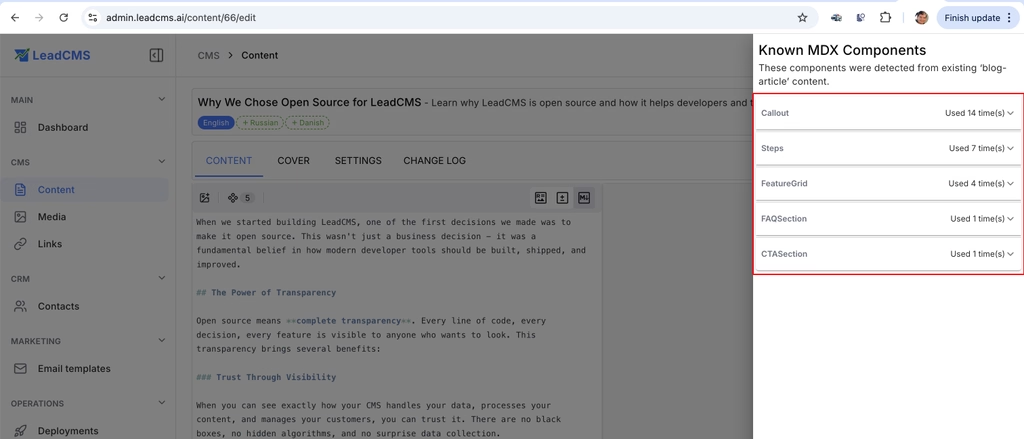
That knowledge becomes a practical advantage: LeadCMS can explain to the AI model what valid output looks like for your site.
Workflow: generate a new landing page in minutes
If you already have a landing page that performs well, you can create a new version targeting a different audience with a short AI prompt and a reference.
Pick the right content type and template
- Click Create content with AI
- Select your Content Type (for example, Landing or Blog Article)
- (Optional) Pick Reference Content so the AI can reuse your structure
The content type determines which MDX components and structure are allowed.
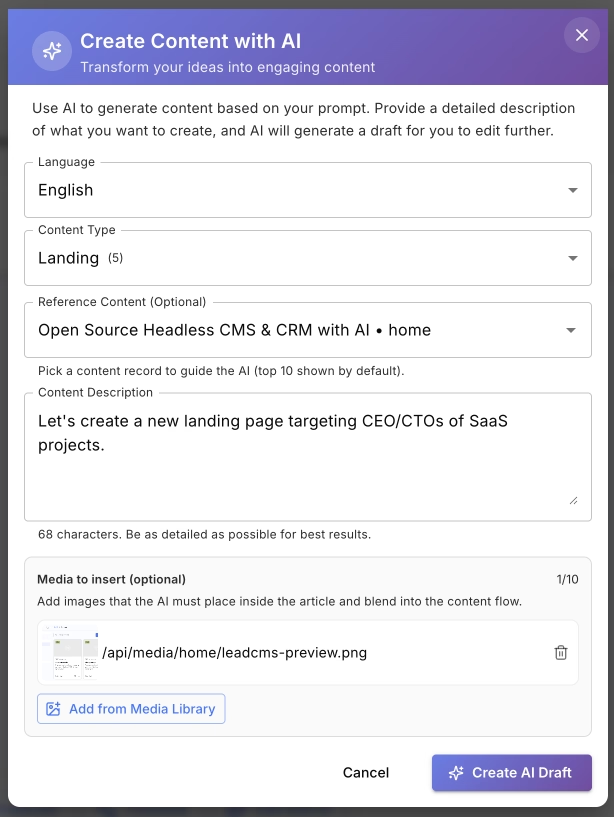
Provide a strong reference and lock down required images
- Choose an existing page as Reference Content
- Describe the new target audience (industry, role, intent)
- Add constraints you care about (tone, sections, must-include points)
- Select images the AI must include (for example, UI screenshots)
If you already have one landing page, this approach lets the AI reuse your structure and produce a new draft quickly.
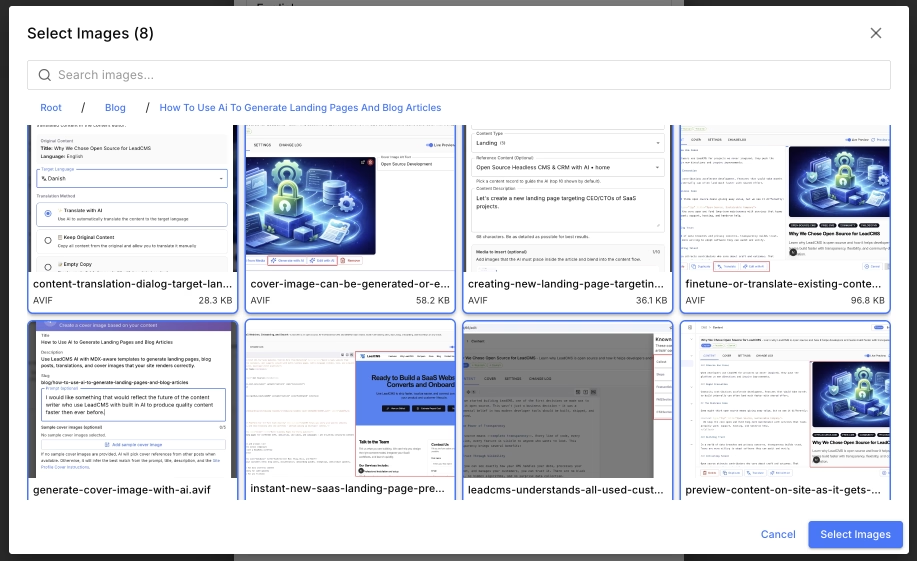
As of now, the AI does not actually read what is in an image. To help it understand which image to use (and why), save images with descriptive file names or make sure they have a clear description set in Media. This also helps SEO - image file names are commonly used by search engines, and better names can improve visibility in normal search and image search (for example, Google Images).
While the draft is being created, LeadCMS shows progress and an estimated completion time.
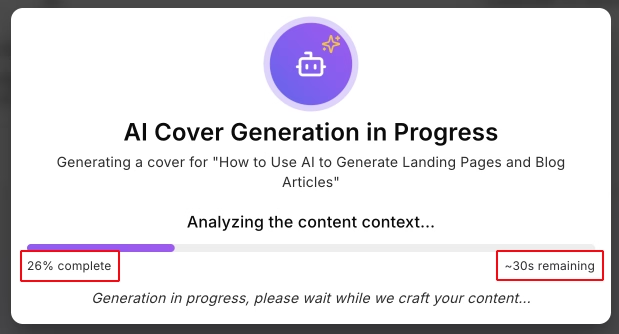
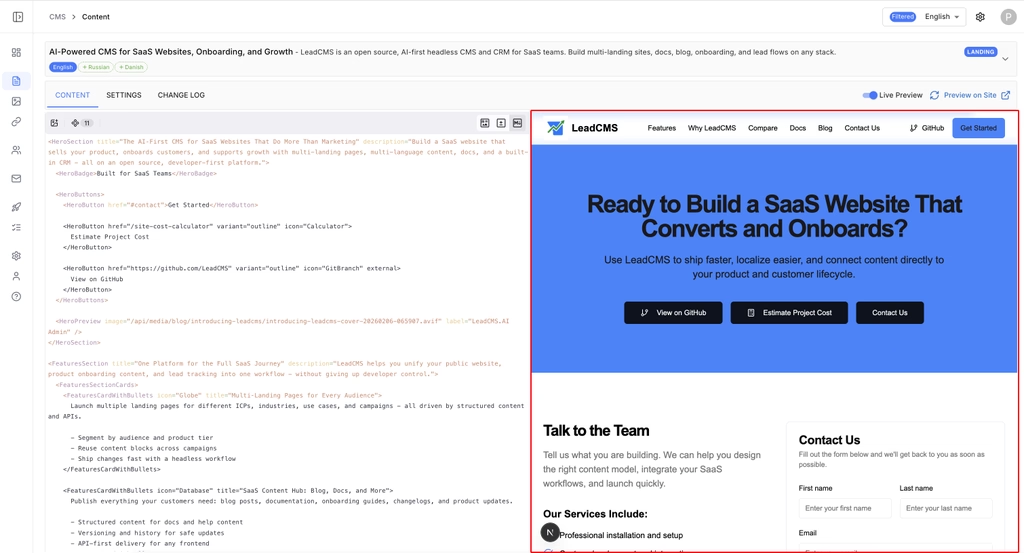
Edit the draft and preview it on your site
- Review the generated MDX
- Use Live Preview or Preview on Site to verify layout and spacing
Because LeadCMS is MDX-aware, it can generate content that your front-end will render without surprises.
Reuse the same workflow for a blog article
Select Blog Article as the content type, and the rest of the steps remain similar.
Generate and manage media too (cover images included)
A fast iteration loop is not only about text. You also need visuals: cover images, section graphics, and illustrations.
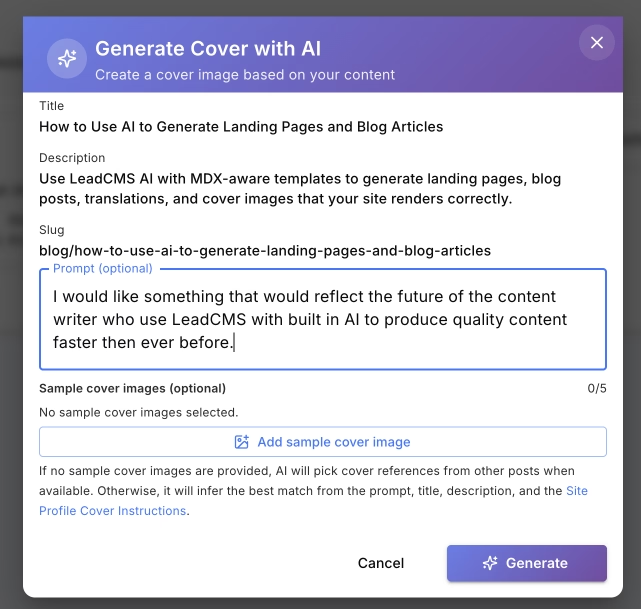
LeadCMS can help you generate a cover image from your article context (title, description, and prompt), then iterate until the result matches your requirements.
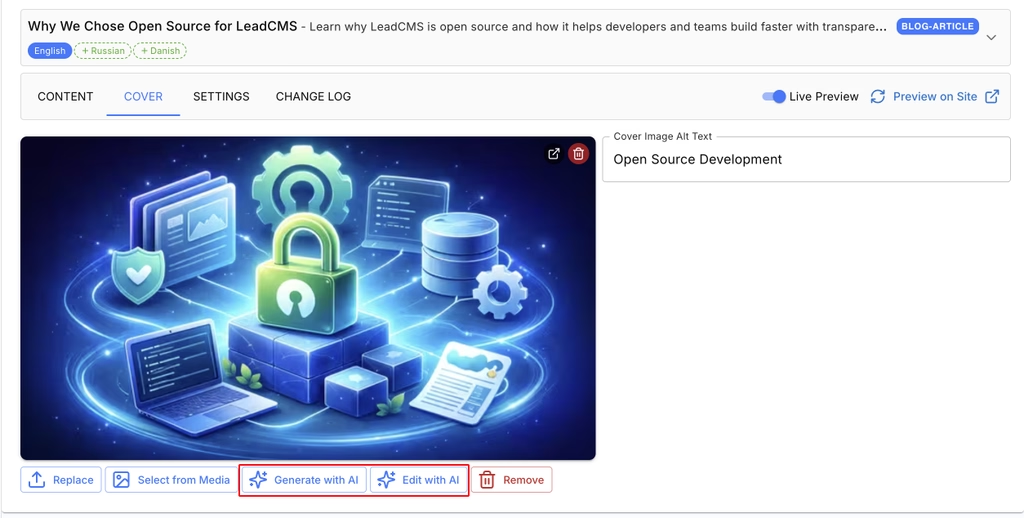
Once a cover image exists, you can generate a new one or edit the existing cover using AI.
Set brand voice and audience once using Site Profile
A common reason AI content feels generic is missing context.
LeadCMS lets you define the basics up front - your audience, topic, terminology, and tone - so generation is consistent across landing pages, blog posts, and translations.
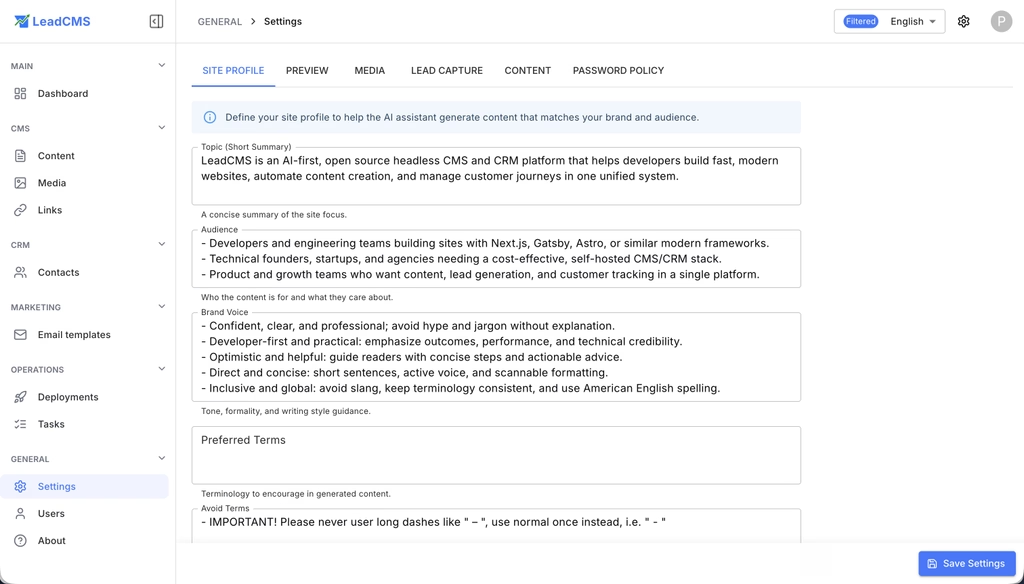
When your AI assistant knows your audience and voice, the first draft is closer to publishable. That means less editing and faster experiments.
Translate existing pages without breaking MDX
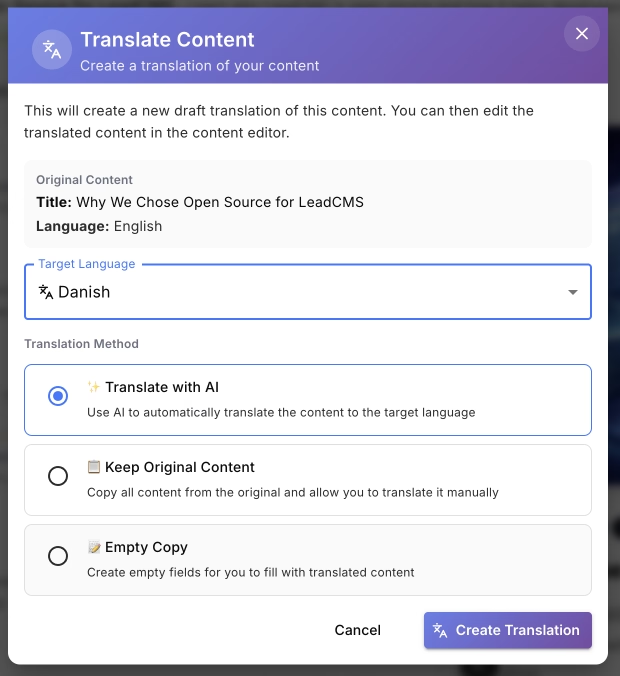
If your content includes MDX components, translation is not just about converting sentences. You must preserve the structure so the page still renders.
LeadCMS can create a translated draft while keeping the underlying MDX valid.
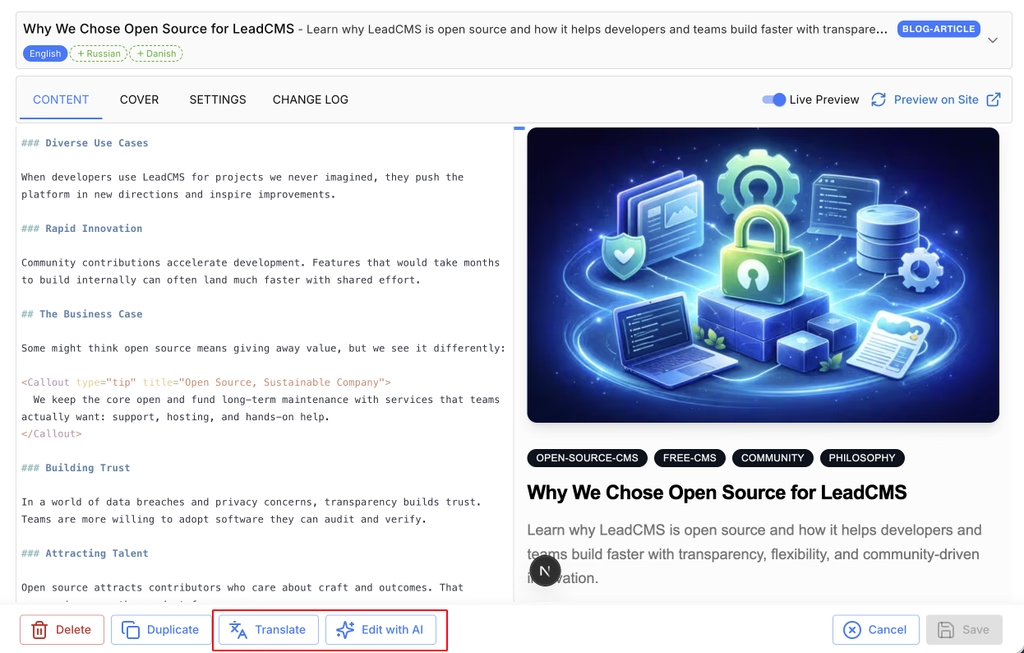
You can then choose a target language before generating the translation.
The bottom line
LeadCMS is designed for the way teams build websites now:
- AI outputs Markdown
- Sites use templates and structured blocks
- Modern front-ends support MDX
- Marketing teams need speed without breaking layout rules
By storing content in MD and MDX, understanding your components, and guiding AI generation with template context, LeadCMS makes it practical to generate new landing pages and blog articles in minutes, then iterate with confidence.
Create one strong landing page, then use it as a reference to generate variations for new audiences. Keep your Site Profile updated, require the right media, and preview drafts as you iterate.